Pricing, features & key differences for 2026
monday.com and Asana both cover core project and work management, but they organize work differently. monday.com emphasizes highly configurable boards, columns, dashboards and automation, while Asana uses a more structured hierarchy of goals, portfolios, projects, tasks and subtasks. The better fit depends on how much workflow customization versus standardized project structure your team wants.
monday.com and Asana both support multiple project views, automations, integrations, dashboards and team collaboration. The differences become clearer when you compare pricing tiers, portfolio management, resource planning, automation limits and how each platform expects teams to structure their work.
| Category | monday.com | Asana |
|---|---|---|
| Free plan | Yes, up to 2 seats | Yes, Personal plan |
| Entry paid tier, annual billing | Basic: $9/seat/month | Starter: $10.99/user/month |
| Higher work-management tier | Pro: $19/seat/month | Advanced: $24.99/user/month |
| Core structure | Boards, items, columns, dashboards | Goals, portfolios, projects, tasks, subtasks |
| Gantt/timeline | Standard+ | Paid plans include timeline/Gantt capabilities |
| Automation | Board automations and workflows; action limits vary by tier | Rules, Workflow Builder and AI-powered workflow capabilities |
| Portfolio management | Dashboards and project/portfolio capabilities | Portfolios on Advanced+ |
| Resource management | Workload/capacity capabilities vary by product and tier | Workload and capacity planning capabilities |
Pricing and feature packaging change. Figures above were checked against vendor information in October 2026 and should be verified before purchase.
For monday work management, the current annual-billing prices shown by monday.com are Free, Basic at $9 per seat/month, Standard at $12, Pro at $19, and Enterprise with custom pricing. The Free plan supports up to two seats. Standard adds features including Timeline and Gantt, guest access, integrations and 250 automation actions per month; Pro raises automation and integration allowances to 25,000 actions per month and adds capabilities such as time tracking and advanced board views.
Asana offers a free Personal tier. Its paid work-management plans currently include Starter at $10.99 per user/month billed annually and Advanced at $24.99 per user/month billed annually, with Enterprise tiers priced through sales. Advanced adds capabilities including portfolios, goals and workload.
Buyer takeaway: do not compare only the cheapest paid price. Map the features you require to the tier that actually includes them, especially automation volume, portfolio visibility, workload management, time tracking and enterprise controls.

monday.com is built around configurable boards. Teams can create columns for status, people, dates, numbers, dependencies and other data, then layer automations and integrations on top. Its automations can handle actions such as notifications, date reminders, assignments and task creation. monday.com also distinguishes between board-level automations and broader workflow-building capabilities.
Asana approaches workflow design through projects, custom fields, forms, rules and Workflow Builder. Its rules automate routine work, while newer AI capabilities can assist with workflow creation and status analysis.
For buyers, the practical question is whether your organization wants a highly configurable data-and-board model or a project/task model with more prescribed hierarchy.
Both platforms support visual ways to manage work beyond a basic list. monday.com offers board-based views such as Kanban, Timeline, Gantt, Calendar and dashboards depending on plan. Asana projects can be viewed through list, board, calendar, Gantt and timeline-style experiences.
Teams should test the workflows they use every day: creating tasks, changing status, assigning owners, managing dependencies, finding personal work, and reporting progress. A feature checklist alone does not reveal which interaction model will require less administration.
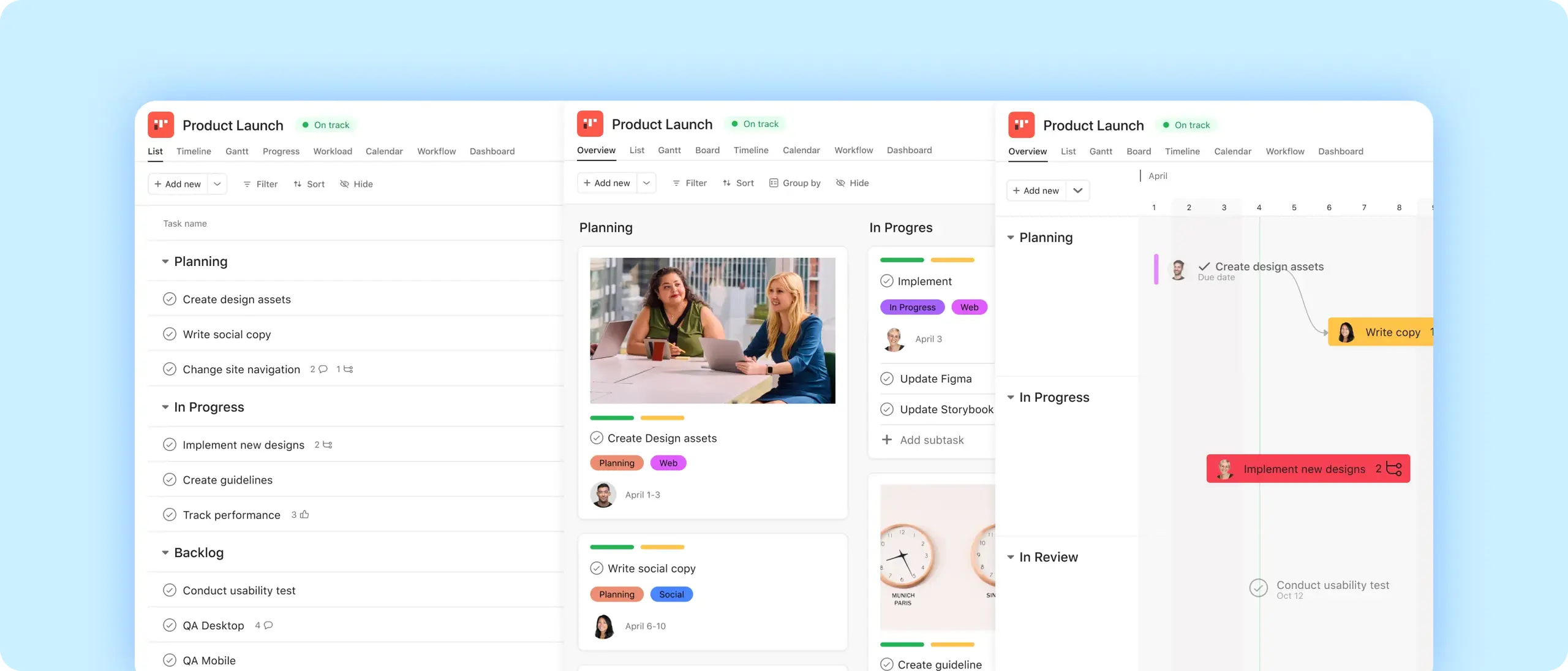
Asana has a clearly defined hierarchy for strategic work. Goals can connect to projects and portfolios, while portfolios group projects and provide higher-level status, reporting and workload visibility. Asana currently places portfolios and Goals in Advanced and higher tiers.
monday.com uses configurable boards, dashboards and its project-management capabilities to roll information up across work. Dashboard limits and cross-board reporting capacity vary by plan, so organizations with many projects should verify how many boards and data sources their intended tier can combine.
Asana includes workload capabilities for understanding team bandwidth and offers native time tracking in higher-level work-management functionality. Its broader resource-management offering also includes capacity planning and timesheet/budget capabilities in supported plans.
monday.com Pro includes time tracking, while monday.com’s broader product lineup includes workload and capacity-oriented functionality. Because monday.com now sells multiple products in addition to work management, buyers should verify that a resource feature belongs to the exact product and plan they are purchasing.
Both platforms connect to widely used workplace tools. Asana advertises more than 100 integrations and supports services such as Microsoft 365, Google Workspace and Slack. monday.com provides integrations and an API, with integration-action allowances varying by work-management tier.
If an integration is business-critical, test the exact direction of synchronization, supported fields, automation consumption and administrative controls rather than treating the presence of an integration logo as sufficient.
Yes. monday.com offers a Free work-management plan for up to two seats, while Asana offers its Personal plan at no cost. Free-plan limits differ, so compare the exact views, automation and collaboration capabilities you need.
At the October 2026 annual-billing prices checked for this guide, monday.com Basic is $9 per seat/month and Asana Starter is $10.99 per user/month. The plans do not contain identical features, so price alone is not a like-for-like comparison.
Yes. monday.com supports code-free automations, with allowances and workflow capabilities varying by plan. Standard currently includes 250 automation actions per month, while Pro includes 25,000.
Yes. Asana supports both portfolios and Goals. Its current documentation places these capabilities on Advanced and higher plans.
Both provide resource-oriented capabilities, but packaging differs. Teams should compare workload, capacity, time tracking and reporting against the exact plan they intend to buy.
Both offer enterprise plans with additional administration, security and governance capabilities. Enterprise buyers should validate SSO, provisioning, audit, permissions, data controls, support and integration requirements directly with each vendor.
Use Verwick Software Finder to explore software profiles, features, pricing, integrations and alternatives across the project-management category. You can also review the full monday.com profile and Asana profile.
Research note: This guide was checked against current monday.com and Asana vendor information in October 2026. Pricing, AI packaging, limits and features can change, so verify material purchasing details directly with the vendor.