7shifts vs Deputy
Restaurant scheduling, employee scheduling, pricing & key differences for 2026
7shifts is built specifically around restaurant workforce operations, while Deputy is a broader shift-work platform with strong scheduling, labor optimization and compliance capabilities. Both cover schedules, time clocks, availability and shift changes. The practical choice depends on whether restaurant-specific workflows such as tips, restaurant POS connections and manager operations are central, or whether you need a platform that can span more types of shift-based businesses.
7shifts and Deputy overlap heavily in employee scheduling and workforce management. The biggest distinction is specialization: 7shifts is restaurant-first, while Deputy serves restaurants alongside retail, healthcare, hospitality, services and other shift-based operations.
7shifts vs Deputy: quick comparison
| Category | 7shifts | Deputy |
|---|---|---|
| Primary fit | Restaurants, restaurant groups and franchises | Shift-based businesses across industries |
| Pricing model | Primarily per location | Per user, per month |
| Entry paid plan | Essentials: $39.99/location/month at displayed annual pricing | Lite: $5/user/month |
| Scheduling | Restaurant-focused scheduling and labor workflows | Scheduling with availability, swaps, forecasting and auto-scheduling by tier |
| Time clock | Yes; capabilities expand by plan | Yes; basic through advanced capabilities by plan |
| Labor forecasting | Restaurant sales/labor forecasting, with advanced tools on higher tiers | Demand forecasting and labor optimization on Core |
| Compliance | Restaurant labor compliance tools | Labor-law, break and scheduling guardrails |
| Payroll | U.S. payroll; Premium includes the platform component plus per-employee payroll charges | U.S. payroll available as an add-on on eligible plans |
Pricing and packaging were checked against current vendor information in October 2026 and can change.
7shifts vs Deputy pricing
7shifts pricing
7shifts prices its core platform primarily by location. Its current comparison page shows Essentials at $44.99 monthly per location or $39.99 with the displayed annual discount, Pro at $89.99 or $79.99 with annual pricing, and Premium at $149.99 or $134.99 with annual pricing. Premium bundles payroll, tip management and task management, although payroll still carries a per-employee-paid charge.
Deputy pricing
Deputy currently lists Lite at $5 per user per month, Core at $6.50 and Pro at $9. Lite covers basic scheduling, timesheets, time clocking, compliance, shift swaps, leave and availability. Core adds advanced scheduling, auto-scheduling, demand forecasting, labor optimization and wage/labor budgets. Pro adds controls such as custom access, advanced timesheets, location hierarchies, SSO and a sandbox environment. Monthly Lite, Core and Pro plans have a $30 minimum monthly spend.
Cost structure matters: a restaurant with many employees at a small number of locations may model these products very differently from a business with fewer employees spread across many sites because 7shifts emphasizes per-location pricing while Deputy charges per user.
Employee and staff scheduling
7shifts centers scheduling around restaurant operations. Managers can build and publish schedules, handle availability and shift changes, connect labor planning with restaurant data, and use higher tiers for more advanced labor recommendations and forecasting.
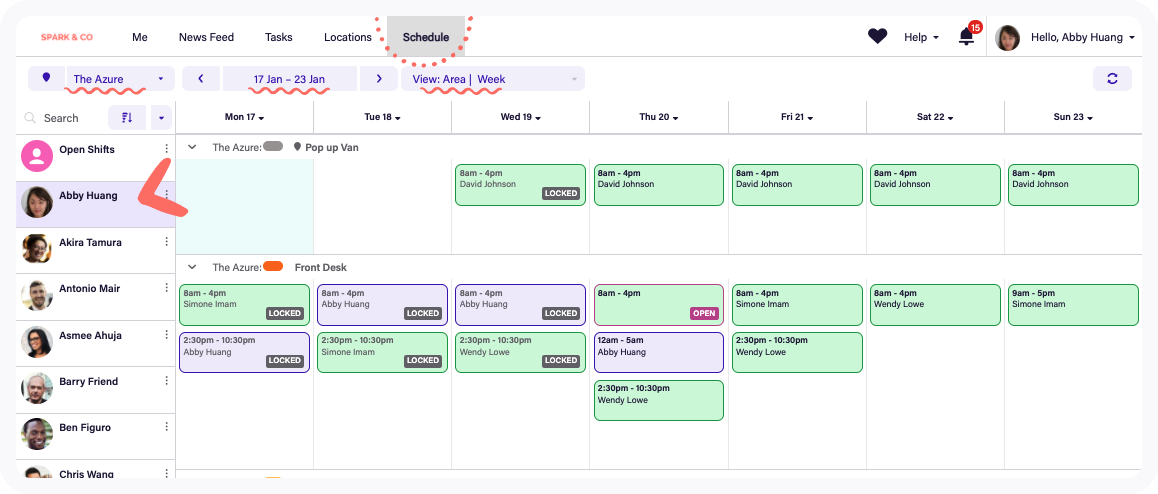
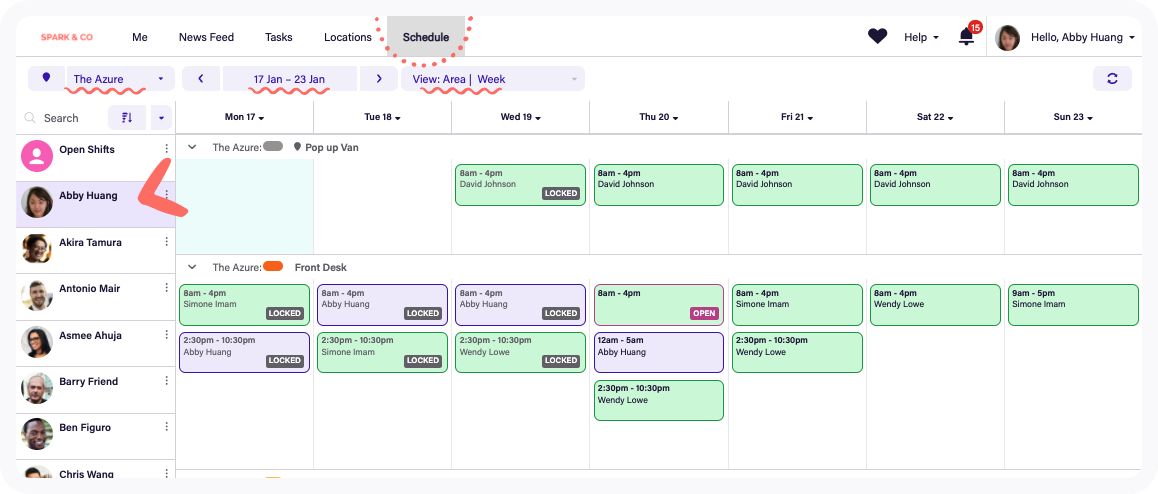
Deputy combines drag-and-drop scheduling with availability, leave, shift swaps and replacement workflows. Core adds auto-scheduling and demand forecasting, while Deputy’s scheduling tools can use factors such as availability, training, spread of hours, demand and wage budgets when building schedules.
Restaurant operations
Restaurant specialization is where 7shifts separates itself most clearly. Its product and integrations are designed around restaurants, including restaurant POS connections, tip workflows, manager log books, labor-versus-sales visibility, restaurant-specific forecasting and multi-location/franchise operations.
Deputy is also used for restaurant scheduling and can connect scheduling with POS and sales data, wage budgets and demand forecasting. Its scope is broader, however, so its platform is designed to accommodate many kinds of shift-based work rather than organizing the entire product around restaurant operations.
Labor forecasting, budgets and compliance
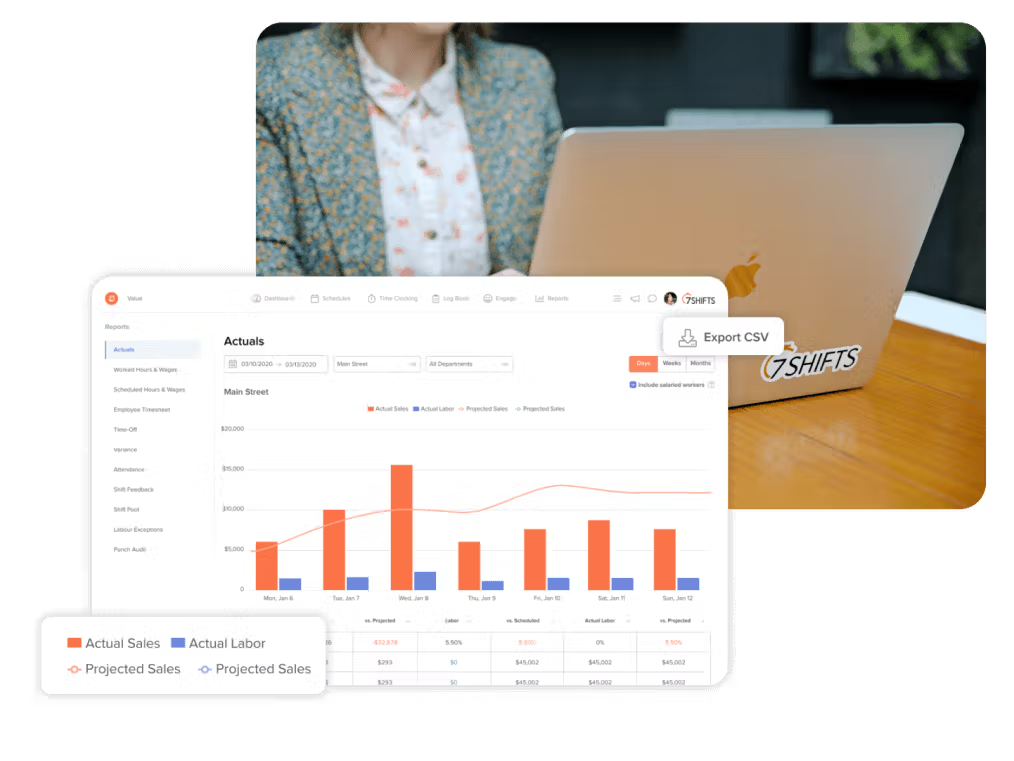
Both products go beyond putting names on a calendar. 7shifts connects restaurant scheduling to projected sales, labor targets and operational data. Higher plans add advanced hourly labor forecasting, recommendations and reporting.
Deputy Core includes demand forecasting, labor optimization and wage/labor budgets. Deputy also emphasizes compliance guardrails around breaks, qualifications, fatigue limits and scheduling rules, with more advanced compliance capabilities on higher tiers.
Time tracking and attendance
7shifts combines time clocking with its restaurant labor stack. Pro adds advanced time clocking and labor-cost tools, while higher tiers can connect scheduled work, actual hours, tips and payroll.
Deputy includes basic timesheets and time clocking in Lite, then adds features such as timesheet auto-approval and biometric time clocking in Core and advanced timesheets in Pro. Managers can also monitor attendance and see who is on shift, late or on break.
Payroll and workforce operations
7shifts offers U.S. payroll as part of its restaurant workforce platform. Premium includes the payroll platform component, with a separate per-employee-paid charge, and also bundles tip and task management.
Deputy offers payroll as an add-on for eligible U.S. Core and Pro customers, alongside separate HR, messaging and analytics add-ons. This modular structure can be useful when a team wants scheduling first and plans to expand the stack later.
Shift swaps, availability and employee self-service
Both platforms let employees participate directly in schedule management rather than routing every change through a manager. 7shifts supports availability and restaurant shift-management workflows, while Deputy Lite includes shift swaps, replacement finding, leave and availability management.
Multi-location operations
7shifts has dedicated positioning for restaurant groups, franchises and multi-location operators. Because its subscriptions are generally applied at a per-location rate, businesses should model the number of locations carefully.
Deputy supports multiple locations and adds location hierarchies on Pro. Its per-user model means the cost profile can scale differently as employee counts and locations change.
Which requirements point toward each platform?
7shifts may align with requirements such as:
- A restaurant-specific workforce platform.
- Restaurant POS integrations and sales-versus-labor planning.
- Dedicated tip-management workflows.
- Restaurant manager log books and operational tooling.
- Franchise or multi-location restaurant workflows.
Deputy may align with requirements such as:
- Scheduling across a broader range of shift-based industries.
- Per-user pricing rather than a primarily per-location model.
- Demand forecasting, wage budgets and auto-scheduling.
- Detailed scheduling and break-compliance guardrails.
- Location hierarchies, SSO and more enterprise-oriented controls on Pro.
Questions to ask before choosing
- Is restaurant specialization a core requirement?
- How many employees and locations will you pay for?
- Do you need restaurant POS, tip and manager-operation workflows?
- How important are demand forecasting and automated schedule creation?
- Which labor-compliance controls apply to your workforce?
- Will payroll be part of the same platform?
- Which plan contains the exact capabilities you need?
Frequently asked questions
Is 7shifts designed specifically for restaurants?
Yes. 7shifts positions its workforce platform around restaurants, including full-service, quick-service, cafes, bars, franchises and multi-location restaurant groups.
Can restaurants use Deputy?
Yes. Deputy supports restaurants and other shift-based businesses. Its scheduling tools include availability, shift swaps, demand forecasting and labor-budget capabilities depending on plan.
How do 7shifts and Deputy charge?
7shifts primarily prices its core subscriptions per location, while Deputy’s Lite, Core and Pro plans are priced per user per month. Add-ons and payroll can change the total cost for either platform.
Do both support auto-scheduling?
Both offer tools intended to reduce manual schedule creation. Deputy lists auto-scheduling on Core, while 7shifts includes increasingly advanced scheduling and labor-planning capabilities across its paid tiers.
Do both include time clocks?
Yes. Both offer time-clock and attendance capabilities, with more advanced controls available on higher plans.
Can both support multiple locations?
Yes. 7shifts focuses heavily on multi-location restaurant and franchise operations. Deputy supports multiple locations and includes location hierarchies on Pro.
Related employee scheduling guides
Continue this Software Finder topic cluster with 7shifts vs Homebase and Deputy vs When I Work.
Or browse more products in the KolApp Software Finder.
Research note: Product features and pricing were checked against current vendor information in October 2026. Vendors can change plans, promotions, pricing and packaging at any time.