
What Is a PMO? Project Management Office Guide + Best PMO Software in 2026
A Project Management Office helps organizations bring structure to projects, programs, portfolios, budgets, resources, risks, governance, and reporting. This guide explains what a PMO does, how PMOs work, and which software can help manage increasingly complex project portfolios.
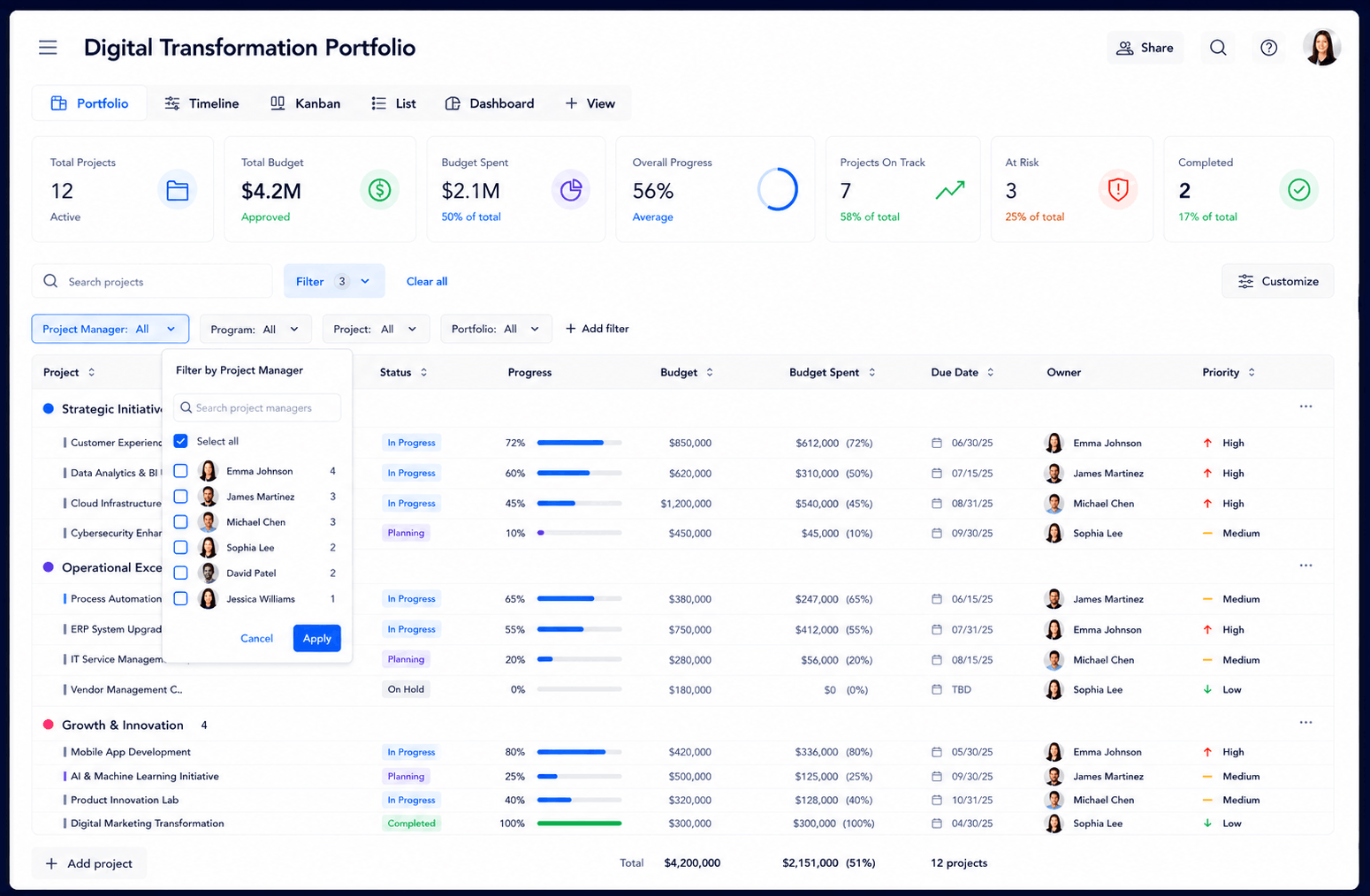 ```
```
What Is a PMO in Project Management?
```PMO stands for Project Management Office. It is the group responsible for creating consistency and visibility across the projects an organization is running. Instead of every project team using a different process, spreadsheet, reporting format, or approval method, the PMO establishes a shared framework for managing delivery.
In smaller organizations, the PMO may focus mainly on templates, project status reporting, schedules, and governance. In larger organizations, it can operate much closer to a portfolio management function — overseeing programs, strategic initiatives, budgets, resources, risks, and executive reporting.
This is why PMO work frequently overlaps with project portfolio management. Project managers are focused on delivering individual initiatives. A PMO needs to understand what is happening across all of them.
Governance
Standardize project processes, approvals, reporting, stage gates, and accountability.
Portfolio visibility
See project health, budgets, schedules, risks, milestones, and priorities together.
Resource planning
Understand whether teams have enough capacity to deliver the projects being approved.
What Does a PMO Actually Do?
```The exact responsibilities of a PMO vary by company, but most PMOs exist to improve visibility, consistency, and decision-making across multiple projects.
Standardize projects
Create common templates, workflows, statuses, approval processes, and reporting standards.
Monitor project health
Track schedule, budget, resources, risks, milestones, and overall delivery health.
Manage portfolios
Compare projects and programs to understand priority, progress, investment, and risk.
Plan resources
Identify staffing conflicts, resource shortages, unused capacity, and workload imbalances.
Track financials
Monitor budgets, costs, forecasts, and project financial performance across the portfolio.
Report to leadership
Turn project activity into clear dashboards and portfolio-level executive reporting.
A strong PMO is therefore more than an administrative reporting function. It helps leadership answer practical questions such as: Which projects are falling behind? Where is capacity constrained? Which initiatives are over budget? Which risks require escalation? Can we realistically take on another project?
See how this can be centralized using project dashboards, reports and analytics, and resource scheduling.
```Three Common Types of PMO
```PMOs are often described as supportive, controlling, or directive depending on how much authority they have over project delivery.
| PMO type | Primary role | Typical responsibilities |
|---|---|---|
| Supportive PMO | Guidance and enablement | Templates, best practices, training, reporting guidance, and project support. |
| Controlling PMO | Governance and standards | Required processes, approvals, reporting standards, compliance, and stage gates. |
| Directive PMO | Direct project oversight | Project ownership, resource decisions, delivery governance, portfolio control, and escalation. |
Many modern PMOs combine elements of all three. They provide templates and guidance, enforce governance where necessary, and become more directly involved when strategic, high-risk, or cross-functional projects require additional oversight.
```PMO vs. Project Manager vs. Portfolio Management
```These roles are closely related, but they operate at different levels.
| Area | Project Manager | PMO | Portfolio Management |
|---|---|---|---|
| Primary focus | One project | Standards and oversight across projects | Prioritization across investments |
| Schedule | Manages project timeline | Monitors schedule health across projects | Evaluates timing across the portfolio |
| Resources | Assigns project resources | Monitors capacity and conflicts | Balances resources across strategic priorities |
| Budget | Controls project budget | Standardizes financial reporting | Evaluates portfolio investment |
| Reporting | Project status | Cross-project governance reporting | Executive portfolio reporting |
As organizations mature, the lines often blur. A PMO may own portfolio management, capacity planning, budget governance, program oversight, and executive reporting in addition to traditional project standards.
```Best PMO Software in 2026: 3 Tools to Consider
PMO software should do more than maintain task lists. A useful platform should help the PMO understand projects, resources, budgets, risks, governance, and portfolio health from one connected system.
KolApp combines project management, portfolio visibility, PMO governance, resource scheduling, capacity planning, budgeting, automation, and reporting in one connected workspace.
- Portfolio, program, and project rollups
- Executive project-health dashboards
- Resource scheduling and capacity visibility
- Budgets, risks, schedules, and KPIs
- Workflow and governance automation
- Gantt, Kanban, Grid, Scheduler, and reporting views
Planview is built around enterprise project and portfolio management, strategic planning, financial management, governance, capacity planning, and large-scale resource management.
- Enterprise portfolio management
- Scenario and demand planning
- Resource capacity management
- Financial and investment planning
- Governance and executive reporting
monday.com provides flexible work management with portfolio dashboards, customizable workflows, automations, cross-project dependencies, and resource-management capabilities.
- Customizable project workflows
- Portfolio dashboards
- Cross-project dependencies
- Automation and templates
- Resource and workload visibility
| Platform | PMO positioning | Portfolio management | Resource planning | Project execution |
|---|---|---|---|---|
| KolApp | Connected PMO, project, portfolio & resource management | Yes | Built-in scheduler & capacity planning | Built in |
| Planview | Enterprise PPM and strategic portfolio management | Extensive | Extensive | Available |
| monday.com | Flexible work and portfolio management | Available | Available | Built in |
What Should PMO Software Include?
```PMO software becomes most useful when it connects governance with the actual work, resources, schedules, and financial data behind project delivery.
Portfolio dashboards
Compare projects, programs, health indicators, priorities, budgets, and risks.
Resource capacity
See availability, workload, allocation, utilization, and upcoming resource demand.
Budget management
Track planned budgets, costs, forecasts, and financial performance.
Risk management
Surface delayed, blocked, resource-constrained, or over-budget projects.
Workflow automation
Automate reminders, approvals, escalations, notifications, and status changes.
Executive reporting
Give leadership a clear rollup instead of manually assembling status reports.
Why resource management matters to a PMO
A project portfolio can look healthy on paper while still being impossible to deliver. If five strategic projects require the same people during the same month, the PMO has a capacity problem even if every individual project plan looks reasonable.
Connecting PMO planning with resource scheduling helps leaders identify those conflicts before deadlines begin slipping.
How to Build a More Effective PMO
```Building a PMO does not require creating layers of administration. Start with the decisions the organization currently struggles to make and introduce enough structure to improve them.
Define what the PMO owns
Clarify responsibility for standards, reporting, portfolios, resources, budgets, approvals, risks, and escalation.
Standardize project information
Use common project statuses, health indicators, owners, priorities, budget fields, milestones, and risk definitions.
Create portfolio visibility
Roll individual projects into portfolio and program views so leadership can compare performance without collecting manual updates.
Connect resources to strategy
Review capacity and workload before approving more projects. A priority is only realistic when the organization has people available to execute it.
Automate routine governance
Use project automation for reminders, approvals, escalations, status updates, and recurring notifications.
PMO Reporting: What Should Leadership See?
```Executives usually do not need another detailed task list. PMO reporting should surface the signals that help leadership understand whether the portfolio is healthy and where intervention is required.
- Overall project and portfolio health
- Projects that are delayed or blocked
- Budget versus actual or forecast cost
- Upcoming milestones and deadlines
- Major risks and issues
- Resource utilization and capacity constraints
- Progress against strategic priorities
- Projects requiring executive decisions
For a deeper look at these metrics, see our guide to project dashboards and KPIs and our comparison of project portfolio management software .
```PMO Software vs. Traditional Project Management Software
```Traditional project management software usually begins with tasks, deadlines, owners, and individual project schedules. PMO software needs another layer: visibility across many projects at once.
That means a PMO platform should make it possible to move from an executive portfolio view into individual programs, projects, schedules, budgets, resources, risks, and tasks without rebuilding the same information in separate spreadsheets.
This connected model is especially useful for organizations managing shared resources across multiple projects. Read our guide to project portfolio management software for a deeper look at that planning layer.
```Connect projects, portfolios, resources, budgets, and reporting.
```KolApp gives PMO teams one connected workspace for project execution, portfolio visibility, resource scheduling, capacity planning, budgeting, automation, dashboards, and executive reporting.
Start Your Free Trial ```PMO Frequently Asked Questions
```What does PMO stand for?
PMO stands for Project Management Office. It is a centralized function that helps organizations standardize and oversee project delivery.
What is PMO project management?
PMO project management refers to the standards, governance, reporting, portfolio oversight, resource planning, and processes a Project Management Office uses to coordinate projects across an organization.
What are the main responsibilities of a PMO?
Common responsibilities include project governance, portfolio reporting, templates, resource planning, budget oversight, risk monitoring, standards, executive reporting, and delivery improvement.
Does a PMO manage resources?
Many PMOs monitor resource demand, availability, allocation, and capacity across projects. This becomes increasingly important when the same people support several initiatives at once.
What software does a PMO need?
A PMO typically benefits from software that combines project management, portfolio visibility, dashboards, resource planning, reporting, budgets, risks, governance, and automation.
Is a PMO the same as project portfolio management?
No. A PMO is an organizational function, while project portfolio management is the discipline of selecting, prioritizing, and overseeing groups of projects. Many PMOs are responsible for portfolio management.