
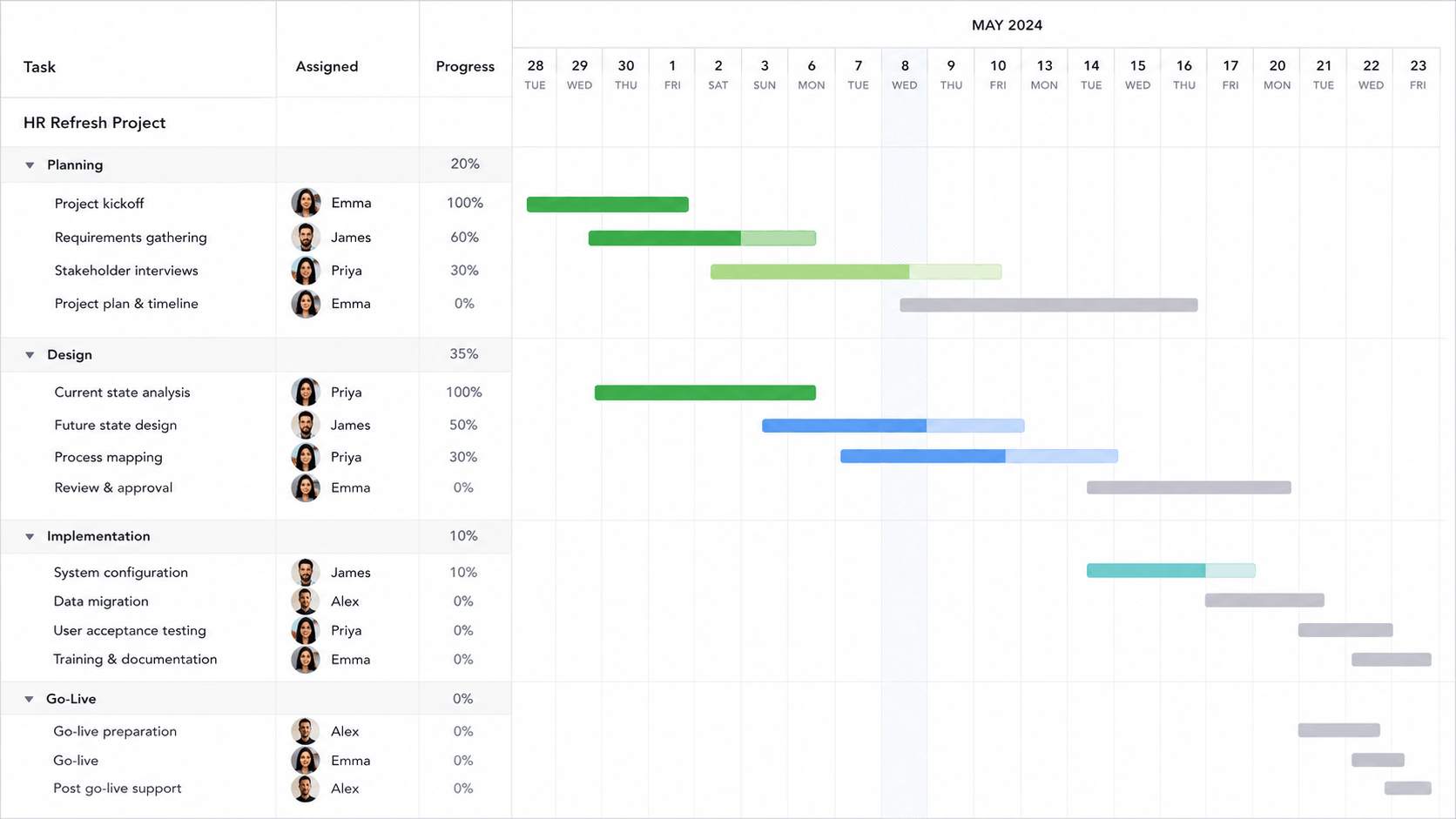
Oracle Primavera P6 is one of the most established platforms for planning and scheduling complex projects. Oracle positions P6 for managing projects of any size, with CPM scheduling, resource management, portfolio planning, reporting, and integrated risk capabilities.
That depth is valuable when a schedule has thousands of activities or supports a major construction, engineering, energy, or infrastructure program. It can also be more system than a smaller organization needs.
If your daily questions sound more like “Who is available next week?”, “Which projects are slipping?”, and “How much budget have we used?”, modern work management software and resource management software can provide a faster route to visibility.
For smaller teams, the key distinction is often whether you need deep CPM schedule control or a connected way to plan projects and people. Our guide to resource scheduling vs. project scheduling explains why those are related—but different—planning problems.
Primavera P6 alternatives at a glance
| Software | Best for | Resource planning | Portfolio visibility | Learning curve |
|---|---|---|---|---|
| Project + resource management | Strong | Included | Low | |
| Microsoft 365 teams | Plan-dependent | Plan-dependent | Moderate | |
| Spreadsheet-style planning | Strong add-on | Strong | Low–moderate | |
| Custom workflows | Workload tools | Available | Low | |
| Cross-functional collaboration | Available | Available | Moderate | |
| Traditional Gantt scheduling | Varies by product | Cloud offering | Moderate | |
| Complex capital projects | Advanced | Advanced | High |
Feature availability can depend on product, edition, and plan. Confirm current packaging with each vendor before purchasing.
1 KolApp — Best for project management + resource scheduling
Primavera P6 makes sense when sophisticated schedule controls are central to delivery. KolApp takes a different approach: it brings the work, people, budgets, and portfolio health into one approachable workspace for smaller and mid-sized teams. It is built around project management with resource scheduling rather than specialist-only schedule administration.
Teams can plan work in Gantt, Kanban, Grid, and Scheduler views; see who is available; manage time off; balance allocations; track project budgets and rates; automate routine updates; and roll project health up into portfolios. For multi-project environments, project resource planning connects those schedules to capacity, availability, and cross-project assignments.
2 Microsoft Planner and Project — Best for Microsoft 365 teams
Microsoft has been consolidating project capabilities into Planner while retaining options for more advanced project planning. It can be a natural path for organizations already standardized on Microsoft 365, Teams, Power BI, and the broader Microsoft ecosystem.
Its strength is ecosystem familiarity. The tradeoff is that the exact mix of timelines, dependencies, portfolios, and resource functionality can vary by subscription and product configuration.
3 Smartsheet — Best for spreadsheet-style planning
Smartsheet combines a familiar grid interface with dashboards, automations, project portfolio capabilities, and a dedicated Resource Management product. It works well for teams that want structured work management without leaving the visual logic of a spreadsheet behind.
It is flexible, but teams should evaluate packaging carefully because advanced portfolio and resource capabilities may live in separate products or premium offerings.
4 monday.com — Best for customizable workflows
monday.com is known for colorful, configurable boards and flexible workflow building. Its Workload view supports capacity planning, while enterprise resource management capabilities include resource directories, planners, capacity tools, and portfolio-level utilization reporting.
The flexibility is useful across many departments, though teams can spend time designing and governing boards before achieving a consistent project operating model.
5 Wrike — Best for cross-functional collaboration
Wrike is a mature work management option for coordinating projects across marketing, professional services, operations, and other cross-functional teams. Depending on the plan, teams can use workload, time, reporting, and portfolio-oriented capabilities.
It offers greater work-management depth than a basic task tool, but smaller teams should compare plan requirements and administration effort against the features they will actually use.
6 ProjectLibre — Best for traditional Gantt scheduling
ProjectLibre offers both a free open-source desktop application and a cloud product. Its scheduling roots make it worth considering for teams that think in tasks, durations, dependencies, work breakdown structures, network diagrams, and Gantt charts.
The desktop edition can be useful for an individual planner, while the cloud offering is the more relevant comparison for collaboration and portfolio work.
7 Oracle Primavera Cloud — Best for complex capital projects
For organizations that like the Primavera approach but want a modern cloud platform, Oracle Primavera Cloud is the closest option on this list. It is built for capital planning, scheduling, resource management, risk, and project controls rather than lightweight team task management.
It preserves enterprise-grade depth, which also means it is unlikely to be the simplest answer for a small team whose main problem is workload clarity.
P6 feels like more than your team needs?
See how KolApp connects project plans, people, budgets, and portfolio health in a simpler workspace.
Start Your 14-Day Free Trial →What should smaller teams look for in a Primavera P6 alternative?
A good P6 alternative for a smaller team should simplify planning without removing the visibility managers actually need. In practice, that usually means combining project timelines with resource availability, capacity, workload, costs, and reporting.
Prioritize the planning problems your team actually has
If overbooking is the problem, focus on resource scheduling software. If the issue is deciding whether the team can accept more work, use capacity planning. If leaders need to understand how effectively available time is being used, track resource utilization.
If all three matter, evaluate resource management platforms rather than choosing a tool solely because it offers Gantt charts.
How to choose the right P6 alternative
Start with the operating problem—not the longest feature list. A smaller team typically gets more value from a system people update consistently than from a platform with controls they rarely use.
- Map your scheduling depth. Do you need formal CPM controls, baselines, and advanced constraints, or simply dependencies and a clear Gantt plan?
- Define resource planning. Decide whether you need task assignments, capacity by person, time-off visibility, skills, utilization, or all of them.
- Check portfolio needs. Leaders may need health, budget, risk, progress, and staffing summarized across projects. If shared resources are the constraint, evaluate cross-project resource planning rather than only portfolio reporting.
- Count the tools being replaced. A slightly higher subscription can still save money if it replaces disconnected task, scheduling, and reporting tools. A connected project + resource platform can reduce the need to maintain separate project plans and staffing spreadsheets.
- Test adoption. Run one real project during a trial and watch how quickly managers and contributors become comfortable.
When should you stick with Primavera P6?
A simpler tool may fit when…
- Your team has dozens—not thousands—of activities.
- Resource capacity is the biggest challenge.
- Collaboration and adoption matter most.
- You want projects, budgets, and portfolios together.
P6 may remain the better fit when…
- Contracts or clients require P6 schedules.
- You manage major capital or infrastructure programs.
- Advanced CPM and schedule controls are essential.
- Your organization has dedicated scheduling specialists.
KolApp is not intended to reproduce every advanced capability in Primavera P6. The better question is whether your organization actually needs those capabilities—or whether a simpler project and resource management platform would help more people plan and deliver work consistently. If resource availability is the main constraint, compare the options in our resource scheduling software guide as well.
Related project & resource planning guides
Comparing P6 alternatives often leads to a broader question: which planning capabilities does your team actually need? These guides go deeper into the most important areas.
Frequently asked questions
What is the best Primavera P6 alternative for smaller teams?
It depends on your scheduling depth. KolApp is a strong choice when the goal is to combine project management, resource scheduling, workload visibility, budgets, and portfolio reporting in an approachable workspace.
Can KolApp fully replace Primavera P6?
Not in every environment. Organizations with contractual P6 requirements, highly complex CPM schedules, or major infrastructure programs may still need P6. KolApp targets the everyday planning, resourcing, budgeting, and portfolio needs of smaller and mid-sized teams.
Is Primavera P6 only for construction?
No. P6 can support projects, programs, and portfolios across industries. It is especially established in construction, engineering, energy, and other schedule-intensive environments.
What should a small team prioritize?
Prioritize ease of adoption, resource availability, dependency planning, portfolio visibility, useful reporting, and a pricing structure that matches your team size. If workload and staffing are your biggest challenges, start by evaluating project resource planning software and capacity planning features.
Final verdict
Primavera P6 is powerful because it is designed for complex scheduling and control. That does not automatically make it the best fit for every organization. Smaller teams should choose the platform that matches how they actually plan, staff, and report on work.
For teams that want project management and resource scheduling in one simpler system, KolApp is the strongest place to start.
Editorial note: Product capabilities and packaging change. This comparison was reviewed on September 9, 2026; verify current details directly with each vendor.