
Why Multi-Project Resource Scheduling Matters
Resource scheduling is relatively straightforward when a team is working on one project. It becomes much harder when the same employees, contractors, equipment, or specialists are shared across several projects at the same time.
A resource may look available when one project schedule is viewed by itself. But that same person may already be committed to two other projects during the same period.
Multi-project resource scheduling brings those commitments together so managers can understand the complete schedule before assigning more work.
Multi-project resource scheduling software combines assignments from every project into one resource view. Managers can see who is booked, who has capacity, where schedules overlap, and how upcoming project demand may affect shared people before approving additional work.
The conflict stays hidden.
Each project may look properly staffed even though the same resources have been assigned to overlapping work elsewhere.
The real schedule becomes visible.
Assignments across projects can be viewed together so resource conflicts and capacity pressure are easier to identify.
What to Look for in Multi-Project Resource Scheduling Software
The right software should do more than place names on a project calendar. Managers need visibility into resource availability, workload, capacity, and competing project assignments before making scheduling decisions.
Cross-Project Scheduling
See where employees and other resources are scheduled across multiple projects from one shared view.
Resource Availability
Understand when people are available before assigning them to upcoming project work.
Capacity Planning
Compare scheduled work with realistic capacity so resources are not consistently overallocated.
Workload Visibility
See how much work each person is carrying across every active project rather than one project at a time.
Schedule Conflict Detection
Identify overlapping assignments and periods where the same resource is needed by competing projects.
Future Resource Forecasting
Look ahead to understand when resources become available and where future demand may exceed capacity.
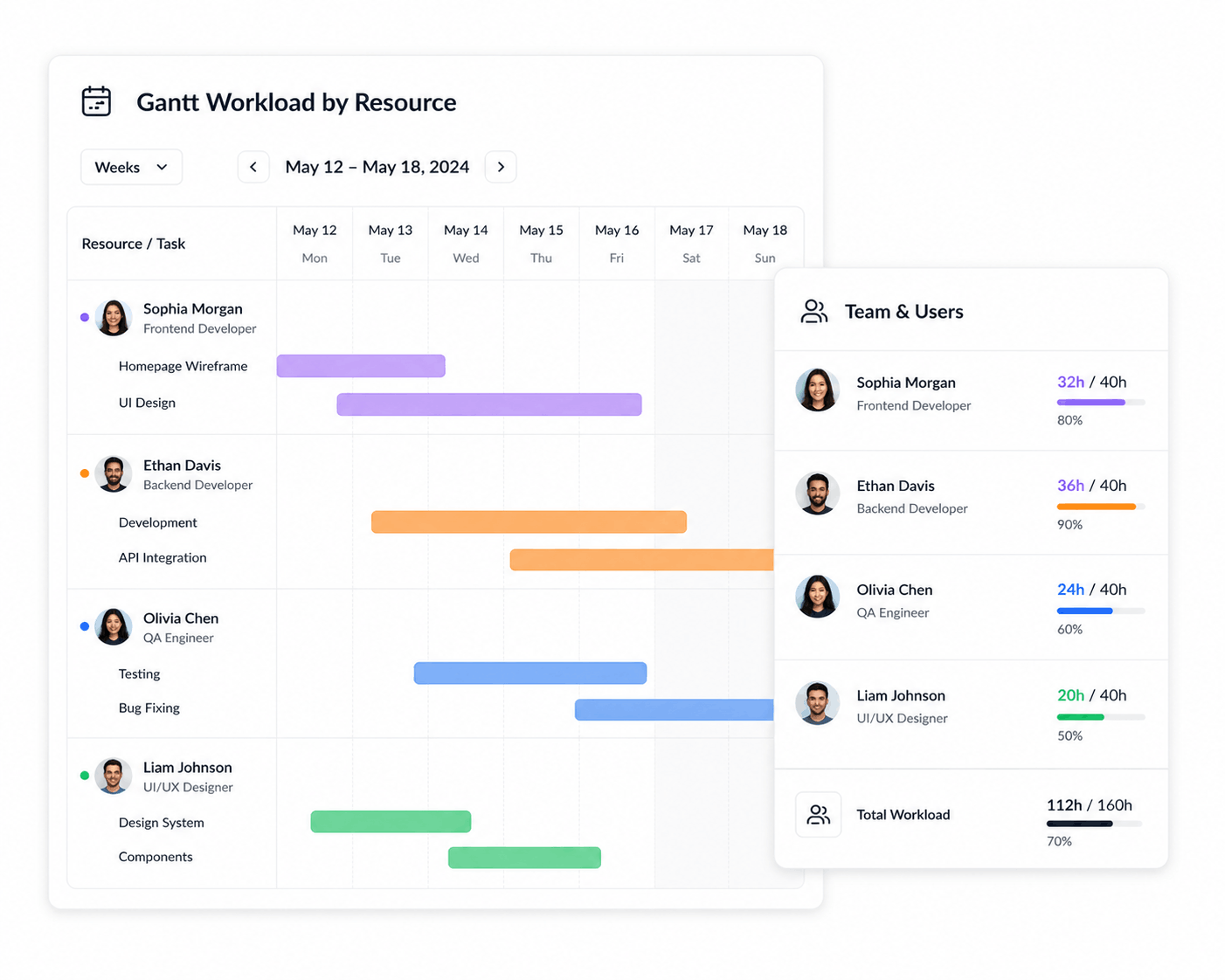
The Problem With Scheduling Resources One Project at a Time
Project teams often create schedules independently. Project A assigns a developer for Monday through Wednesday. Project B assigns the same developer for Tuesday through Friday. Both plans may appear valid when viewed separately.
The conflict only becomes obvious when those resource schedules are combined.
This is one of the main reasons organizations struggle with shared resources. The issue is not necessarily a lack of people. It is often a lack of visibility into where those people are already committed. A broader multi-project resource management view helps expose those commitments.
Bring every project into the same resource view.
Instead of evaluating assignments project by project, managers can understand how all active work competes for the same available resources.
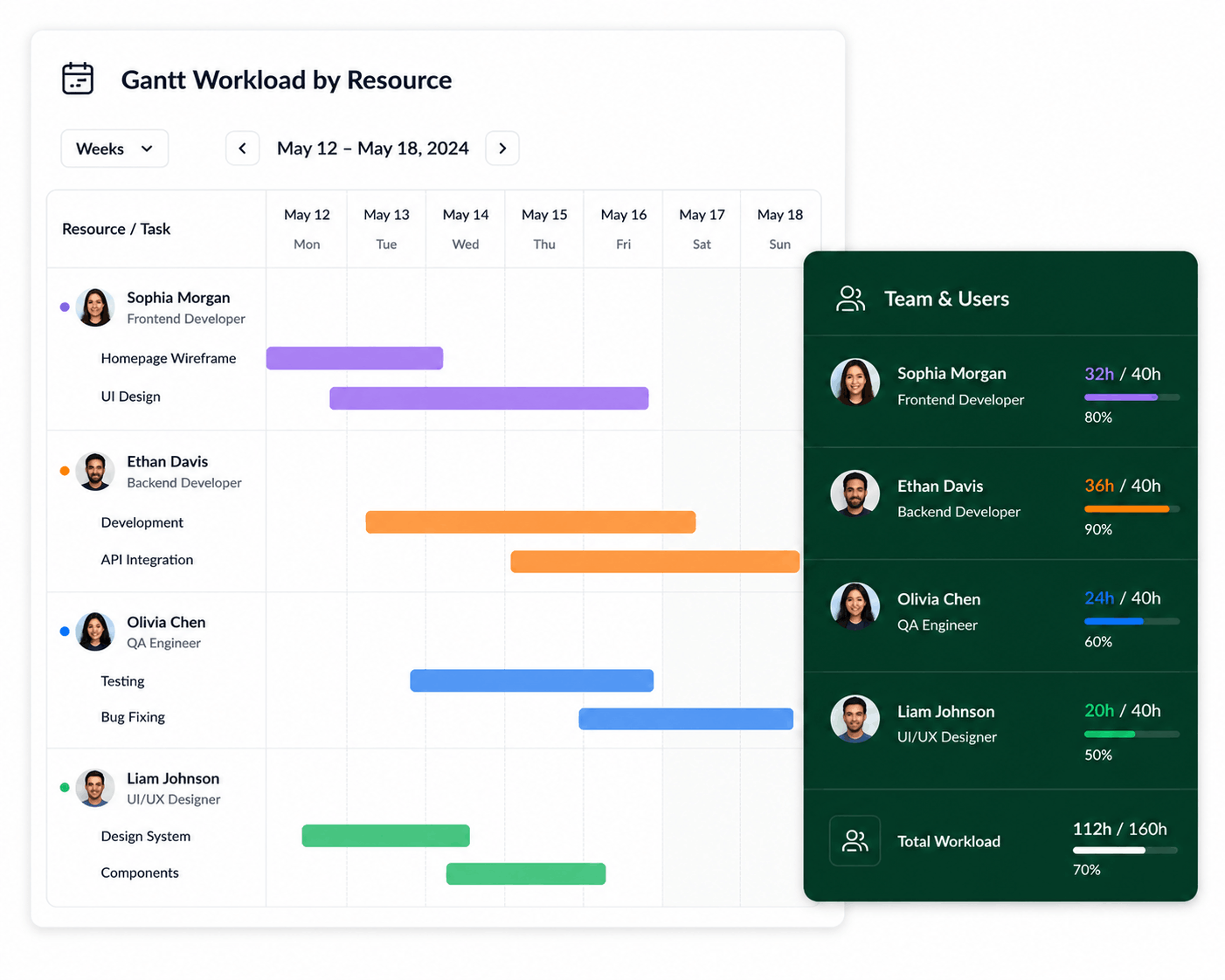
Multi-Project Resource Scheduling vs. Basic Project Scheduling
| Capability | Basic Project Scheduling | Multi-Project Resource Scheduling |
|---|---|---|
| Create project schedules | Yes | Yes |
| Assign resources | Yes | Yes |
| See one project's assignments | Yes | Yes |
| See resources across projects | Limited | Core capability |
| Compare workload with capacity | Limited | Yes |
| Identify cross-project conflicts | Difficult | Yes |
| See future availability | Varies | Yes |
| Balance shared resources | Manual | Designed for it |
One team shouldn't require five separate resource schedules.
KolApp connects resource scheduling with projects, capacity, workload, availability, utilization, budgets, and portfolio planning.
Resource Scheduling vs. Project Scheduling Across Multiple Projects
Project scheduling and resource scheduling overlap, but they solve different planning problems. Project scheduling organizes tasks, dependencies, milestones, and delivery dates. Resource scheduling focuses on the people or assets required to execute that work and whether those resources are already committed elsewhere.
When should the work happen?
Plan task dates, dependencies, milestones, and the sequence required to deliver each project.
Who can actually do it?
See assignments across projects, availability, and remaining capacity before committing shared resources.
For teams running several initiatives simultaneously, connecting both views helps prevent a project timeline from looking achievable when the required people are already scheduled elsewhere. See resource scheduling vs. project scheduling for a deeper comparison.
Connect Resource Scheduling With Capacity Planning
Knowing when someone has been scheduled is only part of the picture. Managers also need to know how much work that person can realistically support.
Capacity planning adds this context by comparing scheduled assignments with available working time. For a simple calculation, use the resource capacity calculator.
When are they assigned?
See the projects, tasks, and time periods where a resource has already been scheduled.
Can they handle it?
Compare those assignments with realistic working capacity and remaining availability.
This combination is particularly useful when projects overlap. A resource may technically be scheduled on several projects without enough actual capacity to complete all of the planned work.
Balance Workloads Across Multiple Projects
Multi-project scheduling should also make it easier to understand workload distribution and prevent resource overallocation across projects.
If one employee is consistently scheduled across every high-priority project while another qualified employee has significant availability, managers should be able to see that imbalance before adding another assignment.
See Total Workload
Combine assignments from every active project into one view of each resource's workload.
Find Overallocated Resources
Identify people whose combined project schedules exceed realistic working capacity.
Find Available Capacity
See which resources still have room for new assignments or upcoming project demand.
Rebalance Assignments
Move work or adjust schedules when another qualified resource has more available capacity.
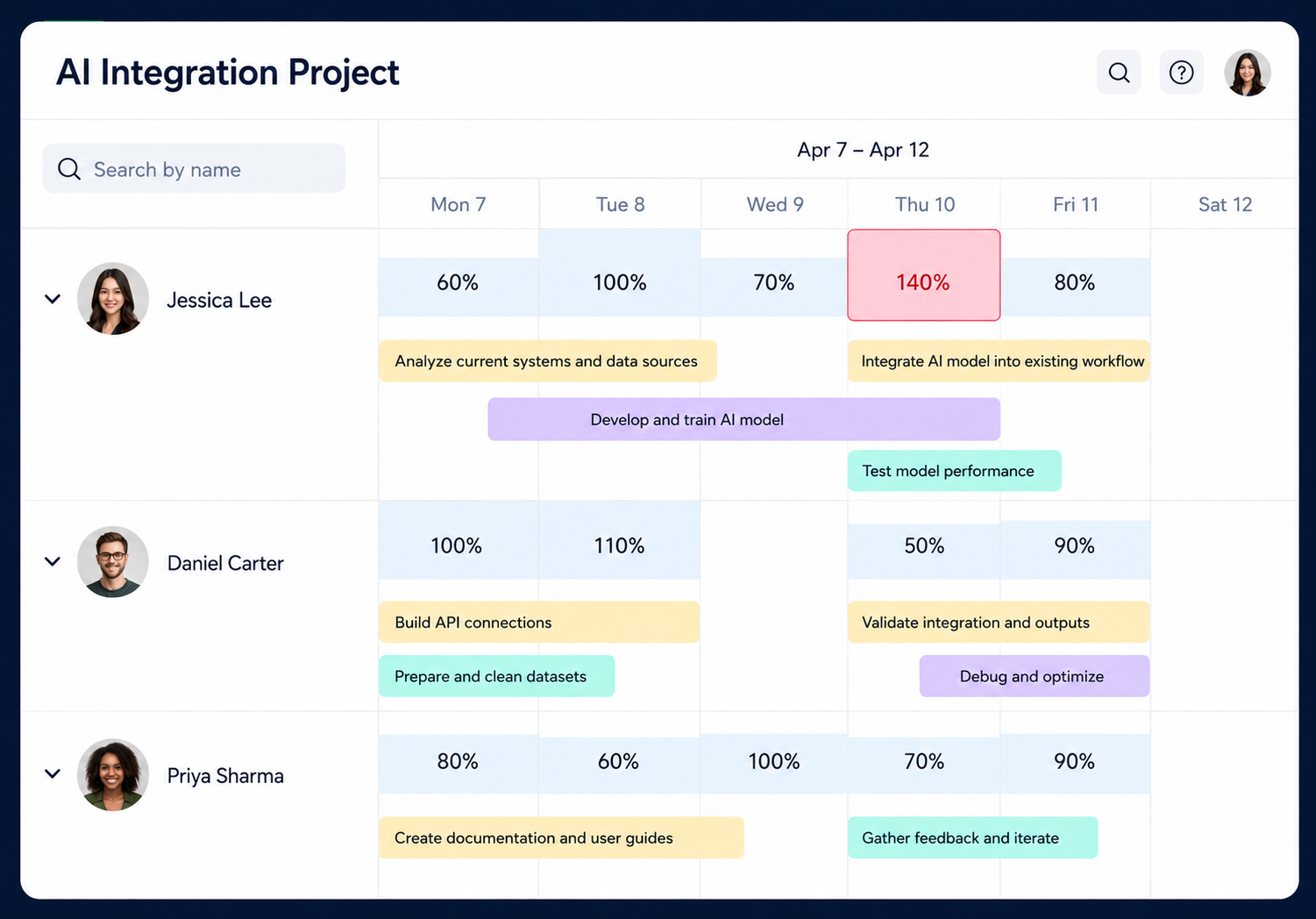
See whether the schedule actually fits the team.
Compare project assignments with resource capacity so managers can identify overloaded people and available resources before adding more work.
Forecast Resource Demand Across Projects
Resource scheduling should not only explain what is happening today. It should help managers understand what is coming next.
Future resource demand can change quickly when several projects reach resource-intensive stages at the same time.
Looking ahead allows managers to identify periods where resource demand may exceed capacity and make adjustments before the conflict becomes urgent. See resource forecasting software for a deeper look at future staffing requirements.
Upcoming Demand
See which projects will require additional people or hours during upcoming weeks and months.
Future Availability
Understand when resources become available as current assignments end or workloads change.
Potential Shortages
Identify periods where project demand is likely to exceed the resources available to support it.
Earlier Decisions
Adjust timelines, assignments, contractors, or staffing before shortages begin affecting delivery.
Resource Scheduling at the Portfolio Level
As organizations manage more projects, resource scheduling becomes a portfolio problem rather than only a project problem.
Leadership needs to understand which initiatives are consuming scarce resources, where teams are stretched, and whether new projects can realistically be added to the portfolio.
See how projects compete for the same people.
Connect resource schedules with portfolio priorities so capacity can be directed toward the initiatives that matter most.
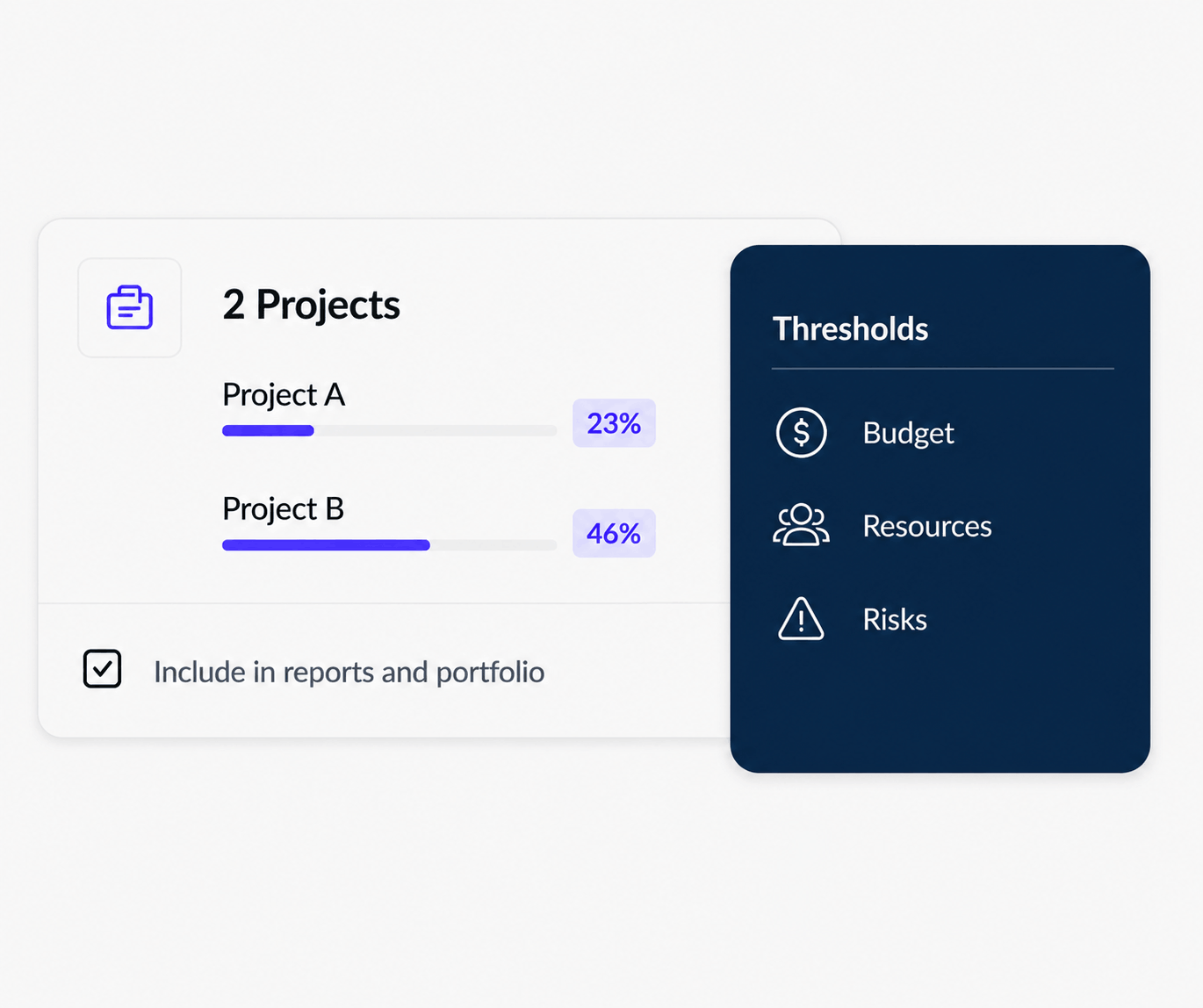
Benefits of Multi-Project Resource Scheduling Software
Prevent Double-Booking
See overlapping project assignments before the same resource is committed to competing work.
Improve Resource Utilization
Find available capacity while reducing the tendency to overload the same high-demand employees.
Create Realistic Schedules
Build project timelines around the people actually available to deliver the planned work.
Reduce Project Delays
Identify resource conflicts before they become bottlenecks that affect project milestones.
Improve Staffing Decisions
Understand whether future demand requires schedule changes, reassignment, contractors, or additional hiring.
Prioritize Projects Better
See which initiatives are competing for limited resources and allocate capacity according to business priorities.
Multi-Project Resource Scheduling With KolApp
KolApp combines project management with resource scheduling so teams can see where people are assigned across multiple projects without maintaining separate resource spreadsheets. This is the same connected approach described in project management software with resource scheduling.
Managers can review project schedules, resource availability, workload, and capacity together. When assignments change, the broader impact on other projects becomes easier to understand. Project resource planning software connects those staffing decisions directly to project demand.
KolApp also connects resource planning with project budgets, utilization, portfolio visibility, and project health, giving teams more context when deciding where limited capacity should go.
Schedule resources across every project from one place.
See assignments, capacity, availability, workload, and project demand together with KolApp.
Who Needs Multi-Project Resource Scheduling?
- PMOs: coordinate shared resources across programs, portfolios, and simultaneous projects.
- Professional services firms: schedule consultants across multiple client engagements while monitoring capacity and utilization.
- Agencies: allocate designers, marketers, developers, and other shared resources across client projects.
- IT teams: schedule specialists across migrations, implementations, upgrades, and operational work.
- Software teams: coordinate engineers across releases, product initiatives, maintenance, and technical projects.
- Growing organizations: replace spreadsheets and disconnected project schedules as project volume increases.
Related Multi-Project Resource Planning Guides
Resource Management for Multiple Projects
Coordinate shared people, capacity, and assignments across simultaneous initiatives.
Project Resource Planning Software
Connect project demand with the resources required to deliver it.
Team Capacity Planning Software
Understand how much additional work teams can realistically accept.
Team Availability Software
See schedules, time off, commitments, and remaining availability.
Resource Forecasting Software
Forecast future project demand and identify staffing gaps earlier.
Prevent Resource Overallocation
Spot cross-project workload conflicts before teams become overloaded.
Resource Utilization Software
Measure how much available capacity is being used across projects.
Project Management + Resource Scheduling
Keep staffing, schedules, and project execution connected in one workflow.
Frequently Asked Questions
What is multi-project resource scheduling software?
Multi-project resource scheduling software helps organizations schedule shared people and resources across several projects while considering availability, workload, capacity, and competing assignments.
How do you schedule resources across multiple projects?
Managers can combine resource assignments from active and upcoming projects, compare those assignments with availability and capacity, identify conflicts, and adjust schedules before committing additional work.
How does multi-project scheduling prevent double-booking?
A shared resource view makes overlapping assignments easier to identify because managers can see where the same person is already scheduled across other projects.
What is the difference between resource scheduling and capacity planning?
Resource scheduling determines when people are assigned to specific work. Capacity planning determines how much work those people can realistically support during the same period.
Can resource scheduling software show workload across projects?
A multi-project resource scheduling system can combine assignments across projects so managers can understand each resource's overall workload rather than viewing projects independently.
Why is multi-project resource scheduling important?
When teams share people across projects, independent schedules can create hidden conflicts, double-booking, and overload. Multi-project scheduling provides a combined view of those commitments.
Does KolApp support multi-project resource scheduling?
KolApp connects project schedules with resource assignments, capacity, workload, availability, utilization, budgets, and portfolio visibility.
Schedule Every Project Without Losing Sight of Your People
See where resources are assigned, where conflicts are forming, and who has capacity for upcoming work across your entire project portfolio.
Start Your Free Trial